In some cases, the power contacts on the frame fail to make consistent contact with the charging base/stand. To see if this is the case for your frame,
- Put the frame in its charging base. You should see a powered symbol come on that looks like the icon you see here in the middle of the screen:

- Pull the frame off the charging base. You should see a Battery symbol come on that looks like the icon you see here in the middle of the screen. It may look slightly different depending on how charged your battery is:

- Place the frame back into the charging base. Again you should see the charging icon.
- Now gently push the top of the frame back. Not enough to tip it over, but enough to make it seem like it will. If you see the battery or charging icons when you do this then your power contacts could use a little tuning.
Here's how you can tune the power contacts yourself:
- Remove PhotoSpring from its stand and turn it off.
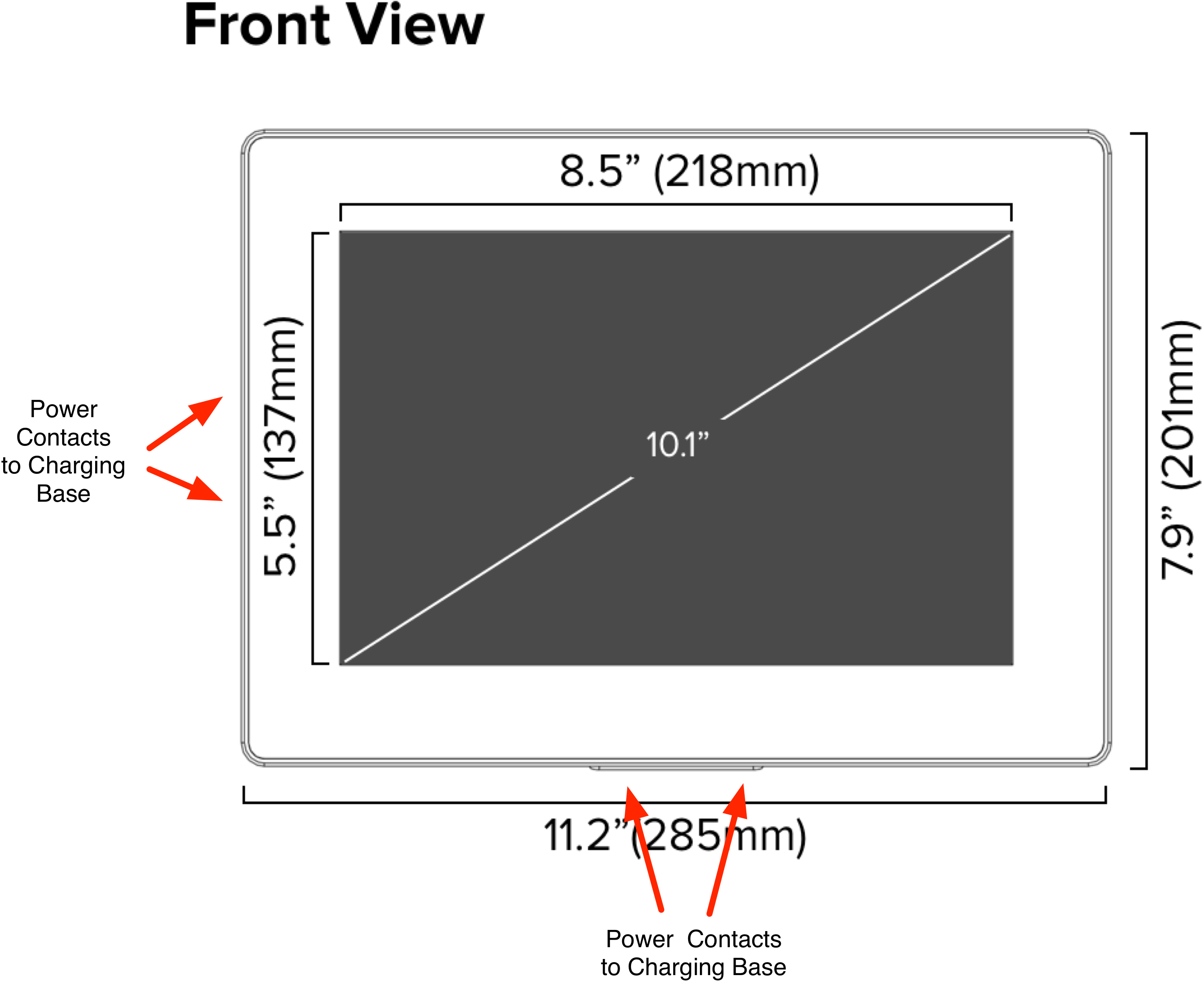
- Locate the power ports on the PhotoSpring device. They are located on the bottom and left side of the device when looking at it from the front in Landscape mode.
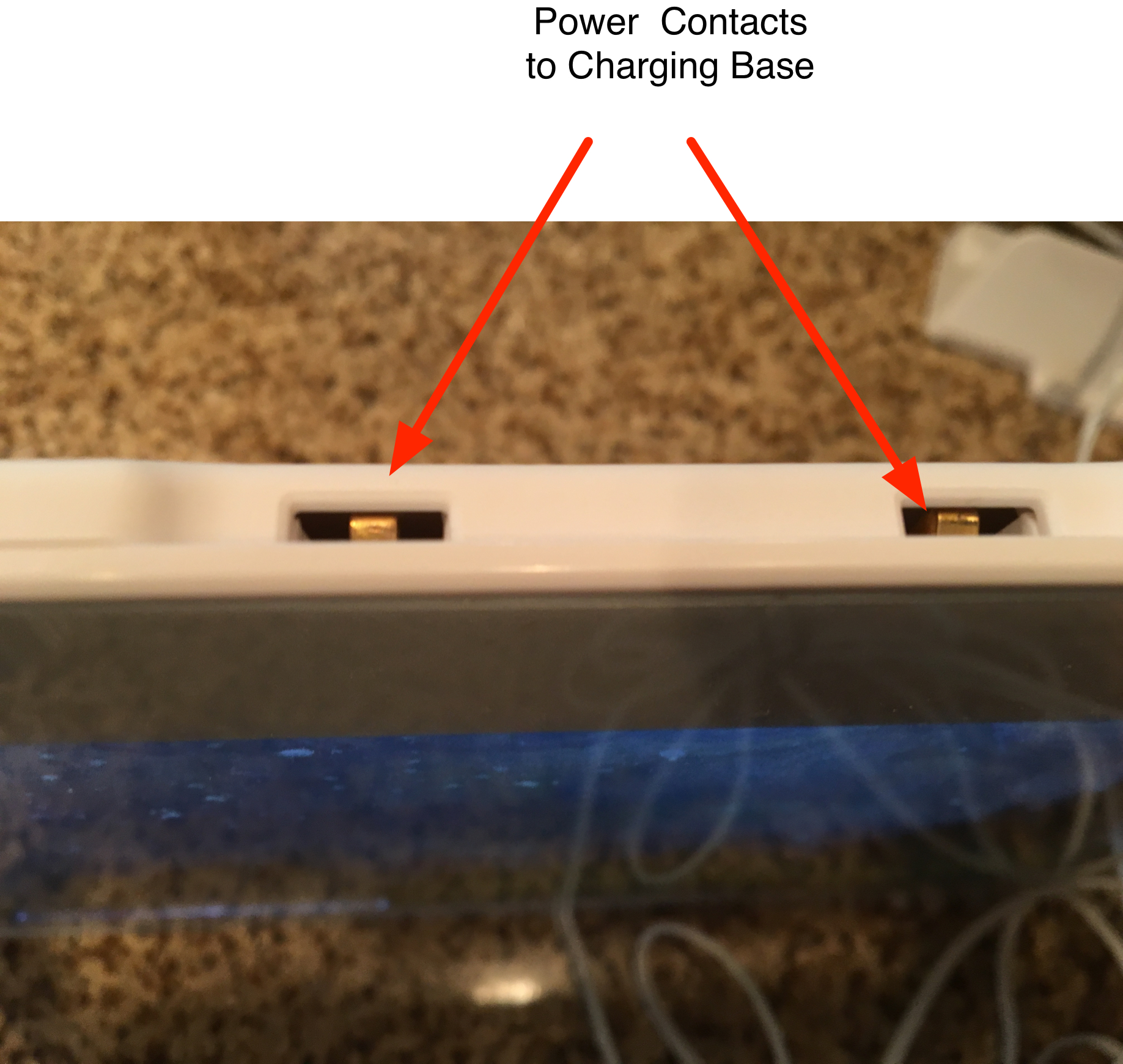
- Here's a closeup of what they look like
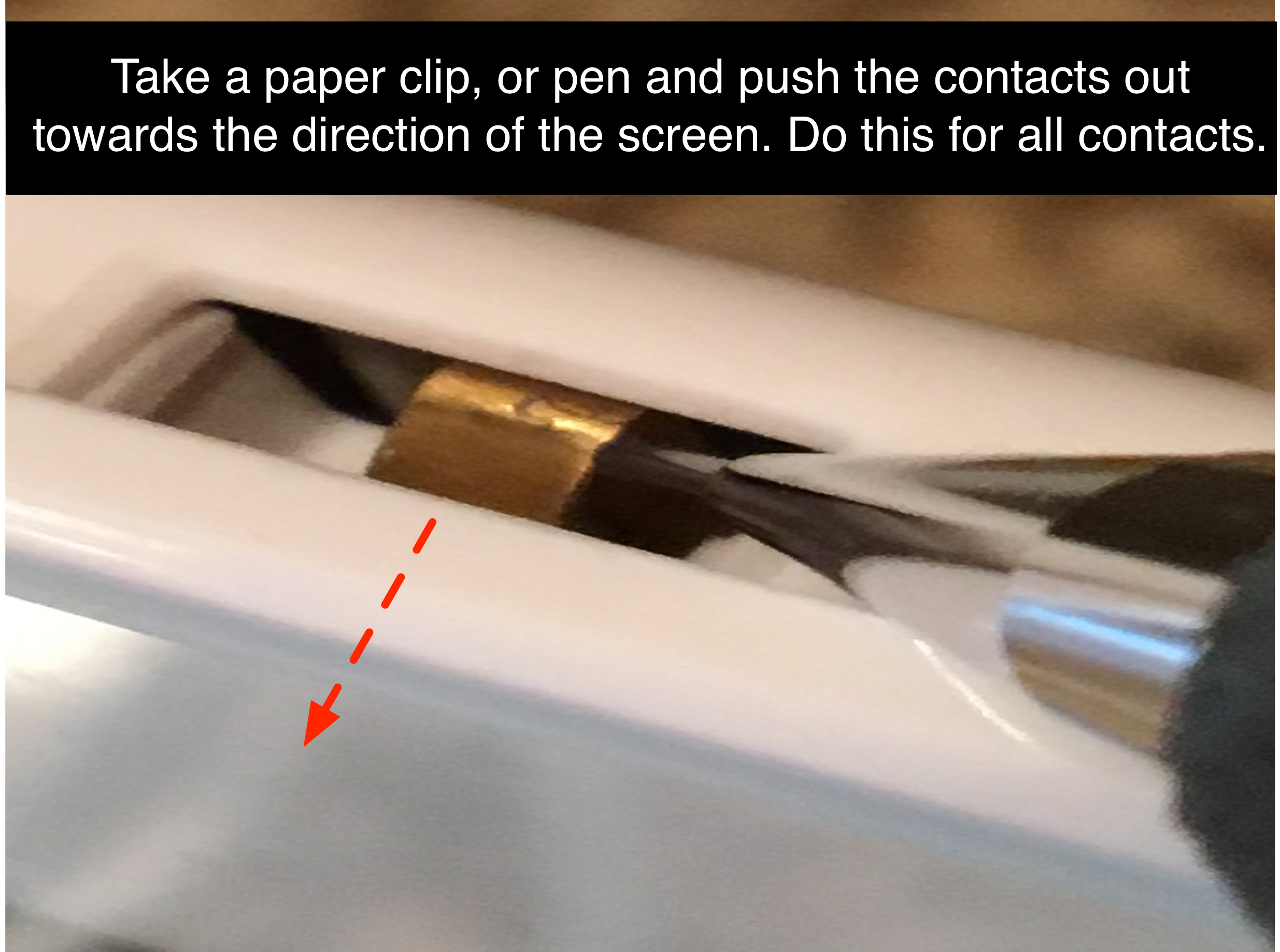
- Take a paper clip or pen, and gently bend each metal contact toward the screen of the device. See below
- Place PhotoSpring back on its stand and test. You should no longer see toggling between the Battery and Power icons when pushing on the frame.
TAGS:
Power contacts, power pins, metal pin